Activity Timeline
What it is
A chronological feed of everything that's happened on a deal: created, stage changes, due diligence tasks added or updated, contacts added, listing snapshots captured, and every AI agent run.
Why / when you'd use it
A quick way to see the deal's real history without having to check every panel individually — useful for picking a deal back up after time away, or reviewing what's actually happened before making a decision.
Viewing the timeline
The timeline updates automatically when the deal itself changes (like a stage transition), and you can select Refresh to pull in activity from panels that don't automatically trigger an update, like a new diligence task or contact.
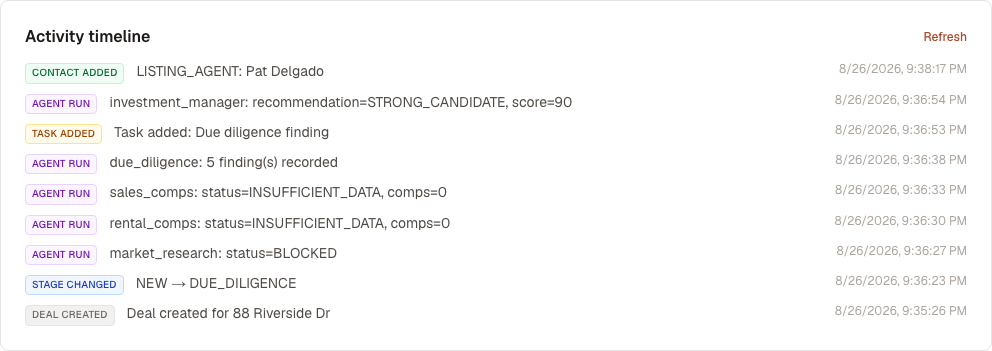
Entries are newest first. If a deal has no recorded activity yet, the panel shows "No activity yet." — nothing is backfilled or reconstructed for deals older than this feature.
What's next
You've now seen every panel in the Deal Workroom. Zoom back out to:
- Portfolios — group properties together
- Compare — put properties side by side