BRRRR Scenarios
What it is
A calculator for the refinance step of a BRRRR deal (Buy, Rehab, Rent, Refinance, Repeat — see Glossary). You enter what you've put into the property and what it's expected to appraise for after rehab, and Brickwise computes how much you can pull back out in a cash-out refinance — and how much cash stays tied up in the deal.
Why / when you'd use it
Use this when your strategy is to renovate a property, force its value up, then refinance to recover most of your capital for the next deal. It answers the central BRRRR question: after the refinance, how much of my money is actually still in this deal?
Running a BRRRR analysis
On a property's detail page, select BRRRR refinance scenario to expand it (collapsed by default). Fill in:
- Cash invested — everything you've put in so far (down payment, closing costs, rehab)
- Existing loan balance — 0 if you paid cash
- NOI (annual)
- After-repair value (ARV) — the expected post-rehab appraisal
- Rehab cost (optional) — tracked for reference; it doesn't feed the refinance math directly
- Max LTV % — the lender's maximum loan-to-value for the refinance
- Min DSCR — the lender's minimum required DSCR
- Refi interest rate %, Refi term (years), Refi closing costs
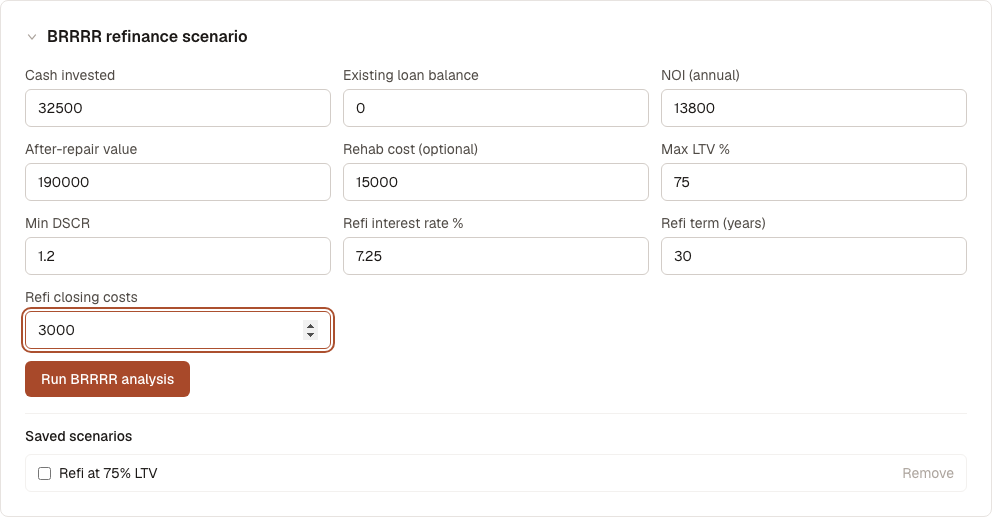
Select Run BRRRR analysis. Brickwise computes the loan amount two different ways — capped by LTV, and capped by DSCR — and uses whichever is lower (the binding constraint, see Glossary), since that's the real limit a lender will apply:
- LTV-constrained loan and DSCR-constrained loan
- Refinance loan amount, labeled with which constraint bound it
- Refinance monthly payment
- Cash left in deal — the number that tells you whether this BRRRR actually recycles your capital
Saving and comparing scenarios
Give the scenario a name under Save as (defaults to "BRRRR Scenario") and select Save this scenario to keep it.
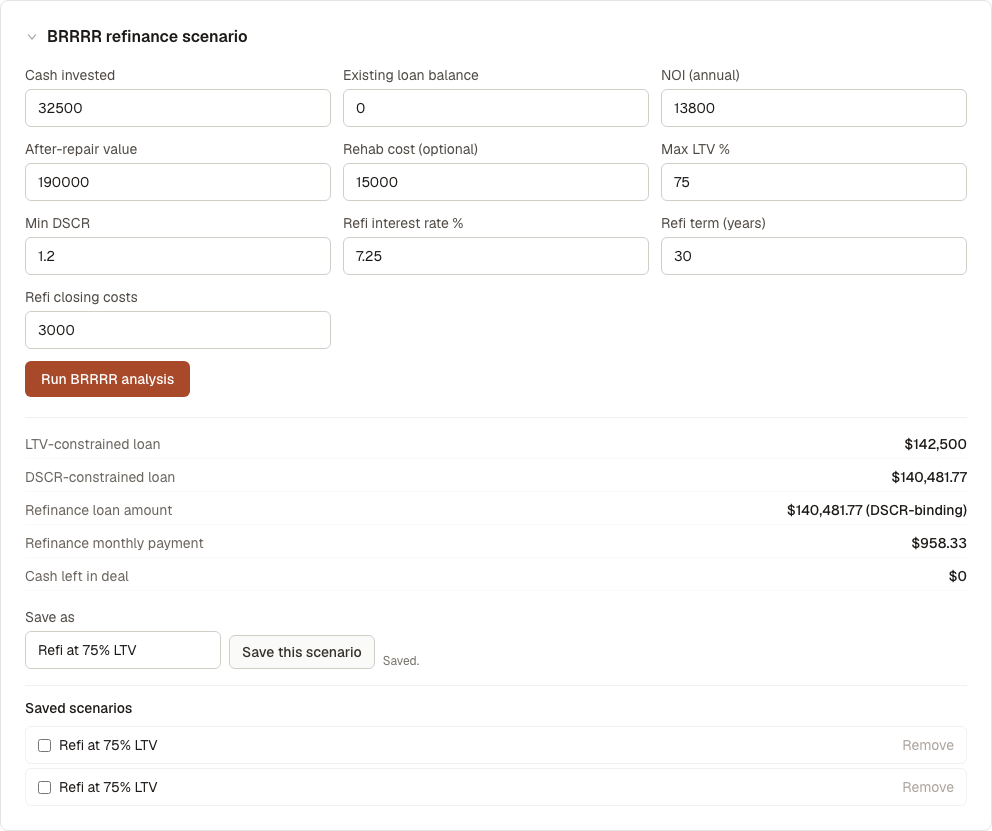
Saved scenarios appear in a list below. Check two or more, and a comparison table appears showing LTV-constrained loan, DSCR-constrained loan, refinance loan amount, refinance monthly payment, and cash left in deal side by side — useful for comparing different rehab budgets or refinance terms against each other.
To remove a saved scenario, select Remove next to it. There's no confirmation step.
What's next
- Compare this against a rental-hold strategy: STR Scenarios or Strategy Comparison